Classification of Software (and flow chart)

This week, we learned mainly about softwares. I didn’t come to school on the last Friday, so I learned it basically by myself. There are plenty of knowledges to recite, which is a challenge for me; but I will try my best. Special thanks to the slides!

The most important thing I want to mention in this blog is the hierarchy of softwares. The hierarchy of softwares includes 4 layers, each layer includes several sub-keys, and there are also examples for each categories. Software includes 【system software】 and 【application software】.

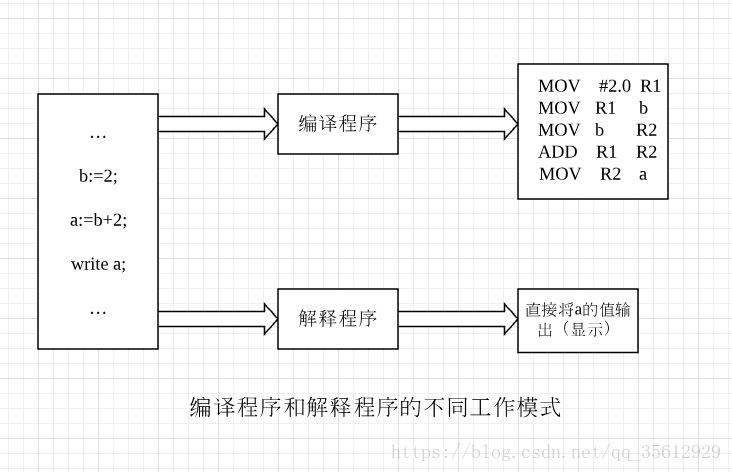
For 【system software】, there are [operating], [library] and [utility] programs, and [programming language translators] as well. [Operating systems] are collections of programs which hides the complexities of computer operation, serves as an interface between application software and computer, and interprets commands. [Library programs] are collections of compiled routines/ functions which contains code and data that provide services to other programs such as interface and printing. It can speed up development of programs. [Utility softwares] are small, capability-limited but powerful programs that perform a very specific task to maintain a smooth running of the computer system, such as disk formatter file and compression firewall. For [programming language translators], there are three categories: assembler (assembly language –> machine code), compiler (source code –> object code all at once), and interpreter (analyses & execute one line at a time). We watched a vivid video that explains the difference between interpreter and complier.

【Application software】 allows users to perform specific, non-computer tasks. For application software, there are three categories: [general-purpose application software] for many different, non-specific tasks, [special-purpose application software] for specific tasks, and [bespoke application software] that is tailor made for a specific user. These three have their examples respectively: Word processor for GPAS, payroll for SPAS, and air traffic control for BAS.

general propose
special propose
bespoke

In conclusion, the knowledge I learned this week does not cover a vast area, but it really taught me about the specific field of softwares.
Algorithm

It has been a long time since the last time I wrote a blog for the computer science course because of lots of activities. We have learnt a lot during these weeks, and here I am putting this blog together to help myself reviewing.

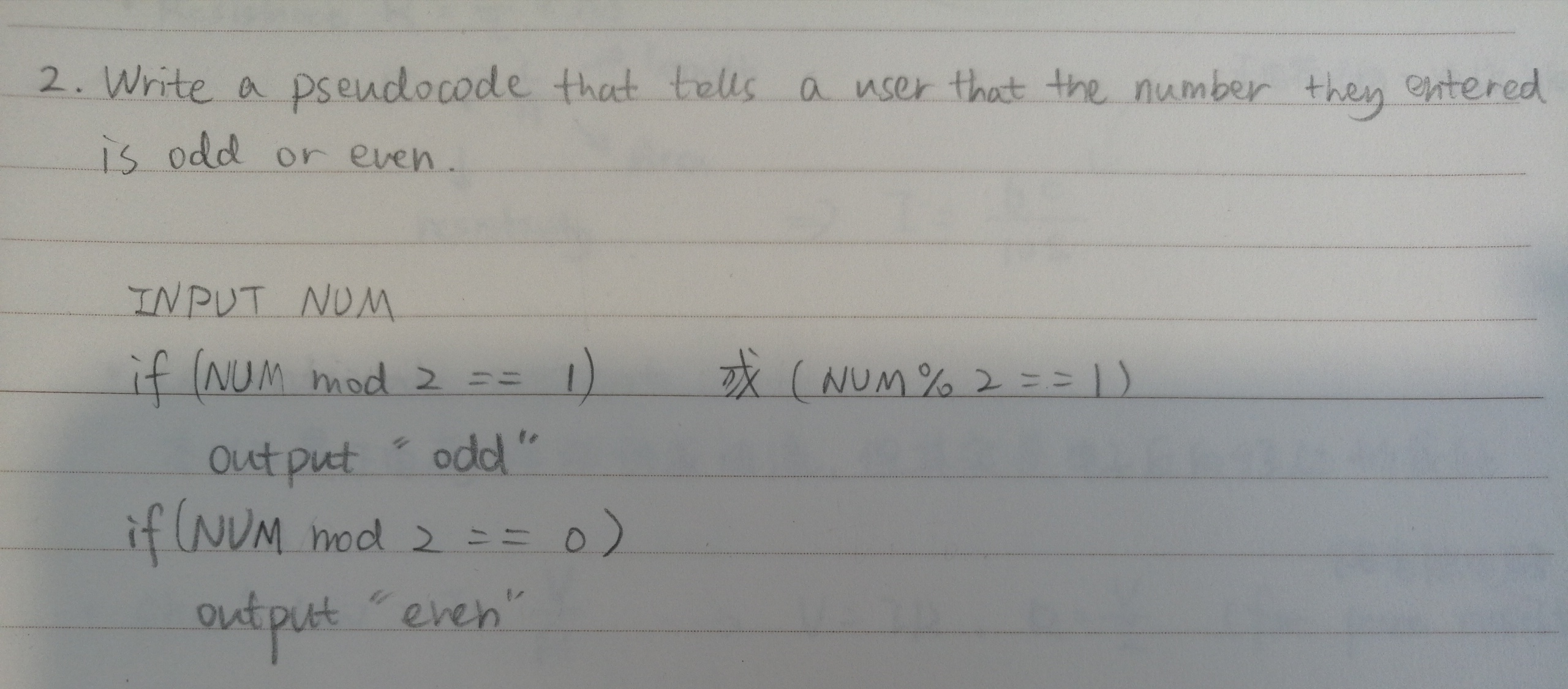
Firstly, we learnt about algorithm. Algorithm is a set of step-by-step clear specific instructions to solve a specific problem in the most efficient way in an infinite of time. The order of instructions is always critical. There are several properties of algorithm. They are finiteness (reasonable), definiteness (precisely defined, rigorously and ambiguously specified for each case), input (quantities which are given to it initially before the algorithm begins), output (quantities which have a specified relation to the inputs) and effectiveness (be sufficiently basic to make the principles could be done exactly). Here is an example of algorithm expression practice.

e.g. Write a pseudocode that tells a user that the number they entered is odd or even.

Also, to write a proper or perfect algorithm, we need to understand the problem. We are supposed to understand the input (what we already know & have and what is missing), the output (what result we want), orders, decisions and repetitions. For example, we want to design an algorithm to figure out what clothes we are going to wear in different weather conditions. To achieve this goal, we must find the input (temperature & weather), the output (what clothes to wear), the order (how should the instructions, for example, of putting on T-shirt or putting on skirt, be arranged), the decisions (if rain, when should we wear raincoat) and repetitions (if there are not enough clothes, repeat this algorithm). If the question is fully understood, the corresponding algorithm could be produced accurately and relatively easily.

In class, we also watched several videos. One of them is called “The Secret Rules of Modern Living: Algorithms”, and it introduced a bunch of algorithm to me. The first one is face detection algorithm, which can identify basic elements of human faces and locate people’s smiling faces in the camera. Also, there are an algorithm called “chili game algorithm“, which is a set of instructions that can guide the follower to victory in any situation. It really amazed me that with clear, strict logic and rigorous design of words and orders, things can be so easy to manipulate and manage.

In addition, we have done several activities to obtain a better understanding of algorithm. We’ve done a presentation called “Algorithm magic” and a role-playing activity related to algorithm. In the presentation, my group is assigned to explain Tic-Tac-Toe and the method that will never let you fail. At the night before presentation, my group member and I spent one and a half hour on decomposing and abstracting the steps of playing with the chess, and we develop the explanation of the steps with pattern recognition and algorithm thinking to make sure everyone follow our thoughts. I’m not good at math and logic as my members, but by participating this activity and showing it to my classmates, I really practiced the skills of communicating and computational thinkings. For the role-playing activity, we are supposed to find a proper route in a map that can pass every scenic spots without overlaps. This reminds me of my happy childhood when I’ve done lots of these to train a meticulous thinking.

Computational thinkings in Tic-Tac-Toe

In conclusion, these weeks are really enriched with knowledge. I got a little bit deeper into the ocean of computer science, and I’m really looking forward to find out more treasure under the ocean bottom.

An simple inspirational speech

All of us know insects. Bugs. We can imagine the various appearances of them: strange exoskeleton, squishy slimy skin, horrifying mouthparts, and bunches of wiggling limbs. These creepy creatures with unpredictable behaviors, nasty body fluid and, sometimes, dangerous poison, are everywhere, making people wanna keep them at arm’s length.

However, despite its large diversity and richness, insect species are vulnerable, since they tend to be a crowd of couch potatoes living in a small habitat and never moving around. Thus, these lazy residents are facing unprecedentedly fierce challenges due to natural climate change and human activities today. For example, cockroaches are being familiar by us with their toughness. But, there is a kind of cockroaches called, in Chinese, 西芒杜蜚蠊,was extinct in the wild, because their only refuge island, a 35-meter-long underground cave, had been destroyed by nearby mining activities.

Most of the people hate bugs and are unwilling to protect them. Also, protecting such a large family of insects can be super time, energy and money-consuming, so people think that it is unnecessary to invest effort in protecting insects. Thus, although countless insect species fell into the abyss of extinction, few of them have been recorded. The collapse of their destiny receives less attention than it should.

Insects are an essential part of the food chains in the ecosystem. In addition, serving as an important matchmaker between flowers, insects are significant to human agriculture. For example, bees, whose numbers are declining over the world now, can pollinate most of the crops or edible plants. Without bugs buzzing around for helping mother plants to be heavy with children, the world cannot rotate at all.

Humans must be responsible to their activities that has affected the whole ecosystem as well. Here are two examples. There is a kind of insect called, in Chinese, 圣赫勒拿蠼螋, which had been an absolute giant in the earwig kingdom and the symbol of the Saint Helena island. And now, they were gone, because of the introduction of mice due to human activities. Their figures can only be found on the commemorative stamps now. Also, a kind of large blue gray butterfly in England was extinct accidentally because of the butterfly effect done by the local farmer’s activities of eliminating wild rabbits. The dying out of insects sounds like far from us, but our world is in fact highly interconnected. Humans must stop abandoning the gift of nature and act now.

Fortunately, there are some protector arising. Activities, lectures and exhibitions about insects are being carried out for drawing people’s eyes. Some scientists set popular endangered animals as flag animals in order to motivate people to protect their habitats where is the home of the forgotten insects as well. However, it’s hard for them to do a complete turnaround, because they are not Superman. Although there is little we can do for these poor little ones now, we can still hold the consciousness of saving insect in our heart.

Please understand the hard situation those tiny creatures are facing, and I hope that after my speech, some of us can be more caring about or even be motivated to make some effort on this disaster of the world. And if you have a chance of protecting the environment or simply not killing a bug, show mercy to it. Show mercy to bugs, show mercy to the friends that have accompanied us for lifetime, show mercy to the mother nature, show mercy to our own future.

For thousands of years, insects have saved the nature from withering. And now, it is the time for us to save them.

Computer and Binary System

This week, we learnt about computer and binary system. We watched the video “Inside your computer”, did a role play of simulating CPU, and did some activities in Binary Representation topic.

First, in the video, we shrank and got into the internal world of our computer. We saw the busy working CPU— there are billions of “tons” of data for this busy bee to handle and to deal with, which is pretty fascinating and astonishing for me, because the size of CPU is just as big as a cookie. With this little delicate mechanic component of the computer which has the ability to process every single algorithm, input and output, the modern technology is clearly displayed demonstrated.

We also learnt the role play of simulating CPU (central processing unit).

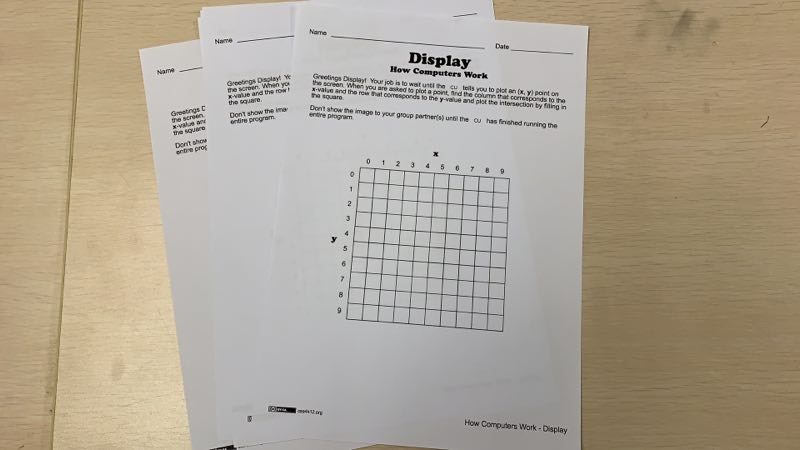
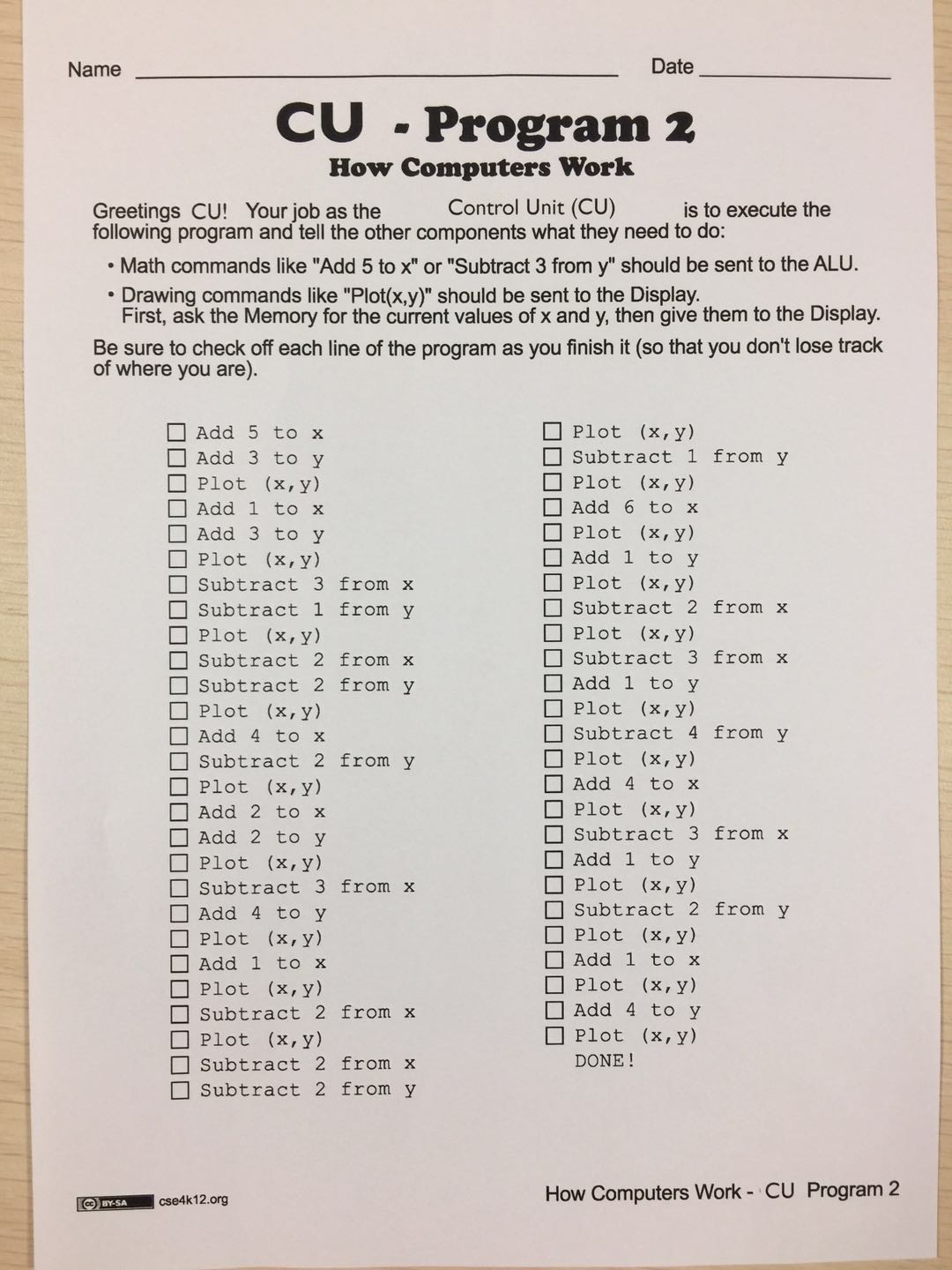
We were divided into groups and every group has 5 people in it, who were responsible to do the job of CU (control unit), display, memory, logic and clock. CU is supposed to send commands to memory and display in order to get information from memory, calculate it, and send it by logic unit to display to show the result. The clock component seems just serve as a timer, but after searching on the internet, I found out that the clock could refresh the outdated information in the memory, which could help the reflection become accurate and keep up with the time. CPU is the core and the control unit of the computer; without it, the whole computer would be paralyzed and will has total disfunction.

In this activity, I served the function of memory. I told people who send the command and watched them run back and forth. It costed us about 15 minutes to finish one page of display, our clock said; but the whole process is just a very little tip of the iceberg for a real CPU, and the time used is much more shorter than a cooperation performed by 5 people. This maybe the reason that the true function of clock was not shown: we did not have the chance to refresh and finish thousands of project. This activity really show us the capability of CPU– it can process incredible amount of statistics and information within a hiccup. Just now, the CPU of my computer is processing and commanding the display to change the color of pixels of the screen to show the image of words and images instantaneously and simultaneously with every single tap on my keyboard.

In addition, we learnt more about the binary system. This is the special representation of information for computer which can simplifies the form of information and numbers into 0 and 1 and make the progress of processing much easier to code. We wrote a worksheet of the binary numbers from 1 to 60, and it’s kind of fun to see how two simple number represent different digit in different position and how these numbers “bubbling up”.

These are the topics we learnt in the recent class. I was satisfied with the new knowledge I got with the activities and videos.

Weekly Reflection

This is the first time we write a reflection, and we started to probe deeper into the world of computer science. We learnt about the computing system, the computing layer, and how to publish a nice blog in the WordPress.com.

About computing system

We have learned about computing diagram which includes input, output, process, storage and communication, and we have done a presentation of this topic.

the diagram of computing system

These five objects are required by a computer system. Storage devices communicate with communication devices through the CPU which refers to central processing unit. Input devices send signals and messages to the CPU, and the out put devices reflect them into “real” form, such as sound and vision.

We have done a presentation about the output, and I made the part of output with audio and sound. I introduced headphones and speakers to the class, which also helped myself to learn more about the modern technologies about audio output.

We used zoho.com to cooperate as a group and finished our slides. The website was super convenient because we didn’t need to transfer our slides through WeChat or email which are time-consuming. The only thing we needed to do was to open the same online project, and no matter where we were, we could work on the same project at the same time. However, I think the website should be evaluated on its stability, because it crashed lots of time when we worked on it, and we had to do it again. After all, its interface was nice and clean, and its functions were full and various, which fulfilled our needs of producing the most of the effects we wanted.

see our presentation at https://show.zohopublic.com/publish/d2ak36b3e2e350e85430a8d6be50570bd94e8!

There is also a theory of the layer of the computer system… The computer will not be able to run without the inner four layers; also, with the applications and communications, it will become the computer we know today and serve the main functions.

This image shows the structure of a computer system. This is not a rank of importance exactly, but a way of classifying and analyzing the whole computer and processing system.

In addition, we learnt how to write and publish a blog in the WordPress.com. We learnt the interface of the website: we learnt how to insert an image or paragraph, how to classify different blogs to different categories, and how to update and publish our blogs to our own main page so that everyone could see our work. By these means, we are able to express our thoughts, show our work in this full week and share our knowledge.

This is the end of this post. We learnt a lot in this week, and hopefully we will learn more in the future.